Key Takeaways:
- AI graphic design tools help designers work faster, smarter, and more creatively.
- AI graphic design tools act as creative assistants that help generate ideas, layouts, and variations quickly. However, the final creative direction still depends on human designers.
- While AI offers speed and convenience, it also raises concerns about originality, bias, and copyright. Designers must use AI tools thoughtfully, review outputs carefully, and ensure designs remain ethical and authentic.
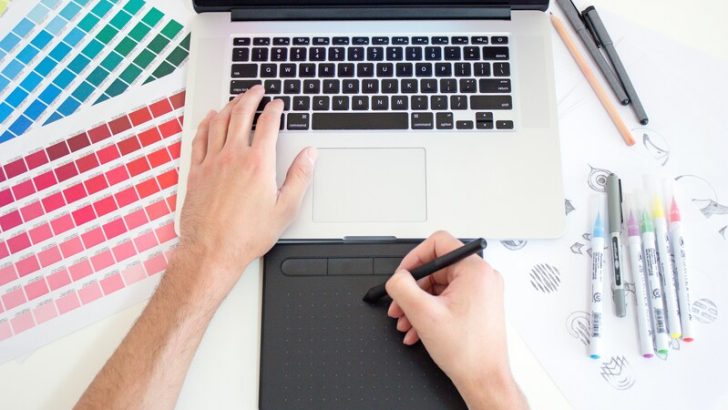
Creativity has always grown side by side with technology. In the past, designers worked with pencils, paper, and endless erasers. Later came computers and design software, which changed everything. By 2021, artificial intelligence (AI) has become the next big shift in graphic design. It shapes how ideas are created and refined.
AI graphic design tools are no longer something futuristic or experimental. They are now part of daily creative work. Designers use them the same way a photographer uses a camera or a writer uses a keyboard. The tools feel natural, familiar, and necessary.
What are AI Graphic Design Tools?
AI graphic design tools are software applications that use artificial intelligence to assist or automate design tasks. These AI tools can generate layouts, suggest colour palettes, create logos, and even build full marketing visuals. To do so, they rely on technologies such as machine learning, computer vision, and natural language processing. These systems learn from large datasets of images, layouts, fonts, and user behaviour.
In simple terms, AI tools can analyze design patterns and generate visual content based on user input. For example, a user can type a short description like “modern social media post for a coffee brand,” and the tool will create several design options instantly.
Unlike traditional design software, AI tools do not start with a blank canvas. They offer suggestions, templates, and variations. Designers can then edit, refine, and customize the results. This makes the design process faster and more accessible, even for beginners.
Key Benefits of Using AI in Graphic Design
Here are some key benefits AI graphic design tools offer to their users:
Faster Design Process
One of the biggest benefits of AI in graphic design is speed. Tasks that once took hours can now be completed in minutes. This is especially helpful for tight deadlines and high-volume content.
Greater Accessibility for Non-Designers
Another major advantage is accessibility. People without formal design training can create professional-looking visuals. Small businesses, teachers, and content creators can design logos, posters, and presentations with ease.
Creative Inspiration and Idea Generation
AI also supports creativity. By offering multiple design variations, it helps users explore ideas they may not have considered. It can suggest colour combinations, font pairings, and layouts based on current design trends.
Consistent Branding
Consistency is another benefit. AI tools can follow brand guidelines automatically. This ensures that colours, fonts, and styles remain uniform across different materials.
Reduce Repetitive Tasks
AI reduces repetitive work. Therefore, designers can focus more on strategy, storytelling, and creative thinking, rather than manual adjustments.
Top AI Graphic Design Tools in 2026
In 2026, several AI-powered graphic design tools stand out for their features and usability. Below are some of the most popular ones.
Canva Magic Design
Canva Magic Design is one of the most widely used AI design tools. It allows users to create designs by simply uploading content or typing a short prompt. The AI then generates complete layouts for presentations, social media posts, posters, and more.
This tool is popular because it is simple and beginner-friendly. It also offers strong customization options. Designers can adjust colours, fonts, and elements easily. In 2026, Canva Magic Design has become smarter at understanding brand identity and audience needs.
Adobe Firefly
Adobe Firefly is Adobe’s AI-powered creative engine. It is integrated into tools like Photoshop and Illustrator. Firefly focuses on generative design, such as creating images, textures, and text effects from simple prompts.
One key strength of Adobe Firefly is its professional quality. It is designed for experienced designers who want more control. Adobe also emphasizes ethical AI use by training Firefly on licensed and safe content.
Looka
Looka is an AI tool mainly used for logo and brand identity design. Users answer a few questions about their business, style preferences, and industry. The AI then generates logo options and brand kits.
Looka is especially useful for startups and small businesses. It provides ready-to-use designs for websites, business cards, and social media. While it may not replace custom branding by a designer, it offers a strong starting point.
Designs.ai
Designs.ai is an all-in-one creative platform. It includes tools for graphic design, video creation, logo design, and copywriting. Users can create visual content quickly by entering text prompts.
Designs.ai is known for its versatility. It is often used by marketers and content teams who need fast and consistent outputs. The platform helps reduce the gap between design and marketing tasks.
How AI Is Shaping the Role of Designers
AI is changing a graphic designer’s roles. Designers are no longer just creators of visuals. They are becoming creative directors, problem solvers, and storytellers.
In the past, designers often started with a blank canvas. Now, AI can provide quick drafts, layouts, or visual ideas. The designer’s job is to review those ideas, improve them, and decide what truly works. It is similar to a chef tasting a dish prepared by an assistant. The assistant helps with preparation, but the chef decides the final flavour. This requires strong critical thinking and aesthetic judgment.
Designers also need to understand how to work with AI tools. Prompt writing, tool selection, and ethical awareness are becoming important skills. Knowing how to guide AI effectively can lead to better results.
AI is not replacing designers. It is only shifting their focus. AI can create images, but it does not truly understand emotions, cultural symbols, or social context. That human touch is what makes a design meaningful, memorable, and powerful.
Limitations and Ethical Considerations
Despite their advantages, AI graphic design tools have limitations. One common issue is lack of originality. AI often relies on existing patterns which can lead to similar-looking designs.
There are also ethical concerns. Questions about copyright, data sources, and authorship are still being debated. Designers need to be careful about how AI-generated content is used and credited.
Bias is another issue. If AI is trained on limited or biased data, it may produce unfair or culturally insensitive designs. This makes human oversight very important.
Finally, overreliance on AI can reduce skill development. Designers still need to practice fundamental design principles to grow professionally.
Closing
AI graphic design tools in 2026 are powerful, accessible, and transformative. They help designers work faster, explore new ideas, and focus on higher-level creativity. Tools like Canva Magic Design, Adobe Firefly, Looka, and Designs.ai show how far AI has come.
However, AI is not a replacement for human creativity. It is a tool that works best when guided by human imagination. The future of creativity lies in collaboration between humans and machines. By using AI wisely, designers can shape a more innovative and responsible creative world.